Incident Search and Filters
Searching attacks
This article describes the search in the Incidents section. Attacks are searched differently, see Attack Search and Filters.
The Incidents section of Wallarm Console lets you narrow the incident list down to the incidents you are interested in. You can select values in the filters, or type a query in the search field. This article describes both.
Filters
The Filter button expands and collapses the filter panel. Selecting a value in a filter applies it to the list immediately, and the selected values also appear in the search field.
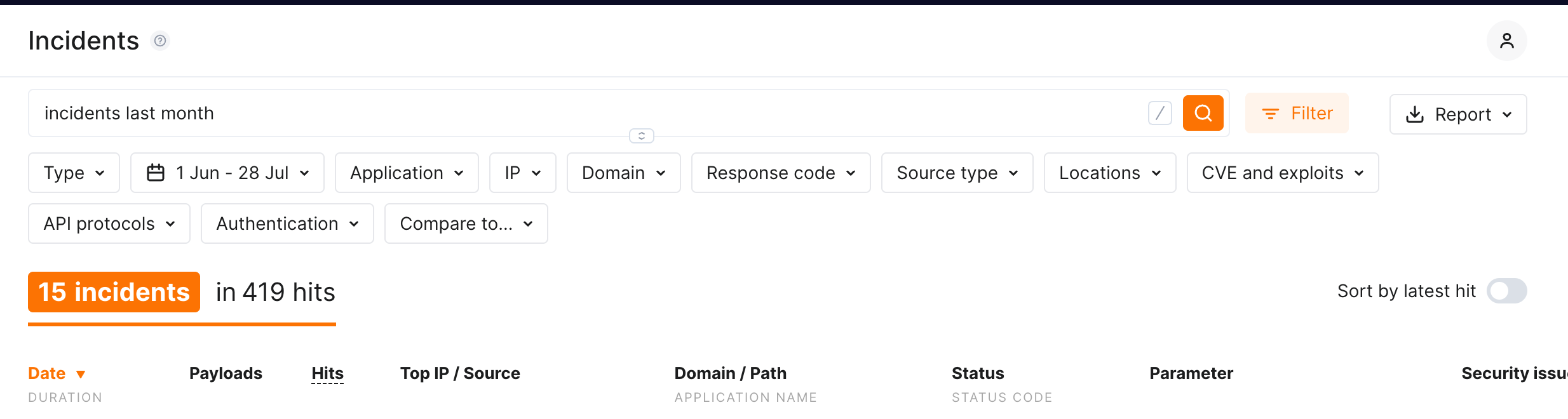
When you select values in different filters, the list shows the incidents matching all of them. When you select several values in one filter, the list shows the incidents matching any of them.
| Filter | Narrows the list by |
|---|---|
| Type | Attack type, such as SQLi, XSS, RCE, Path traversal, or Mass assignment. See the full list of attack types |
| Date range | Period the incident was detected in. See Date range |
| Application | One of your applications |
| IP | Source IP address, or a range of addresses |
| Domain | Domain the attack was sent to |
| Response code | Response status code group: 100, 200, 300, 400, or 500 |
| Source type | What the source IP belongs to: a cloud provider such as AWS, Azure, or GCP, or Tor, VPN, Proxy, Search Engine Spiders, or Malicious IPs |
| Locations | Country the source IP is registered in |
| CVE and exploits | Known CVE the incident exploits |
| API protocols | REST API, GraphQL, gRPC, SOAP, JSON-RPC, XML-RPC, WebSocket, WebDAV, or Legacy Web Form |
| Authentication | Authentication method used in the request, such as JWT authentication, Bearer token, API key, OAuth 2.0, Basic authentication, or None authentication |
| Compare to... | One of your uploaded API specifications |
Malicious IPs
The Malicious IPs source type covers addresses that public threat intelligence resources widely associate with malicious activity and that Wallarm has validated. The same source type is available in the denylist for blocking by source type.
Date range
The date filter displays the currently selected period. Open it to change the period:
-
Select one of the shortcuts: Today, Last week, Last 2 weeks, the current month, Last month, or Last 3 months.
-
Or set the start and end dates in the two date fields, or by clicking the dates in the calendar.
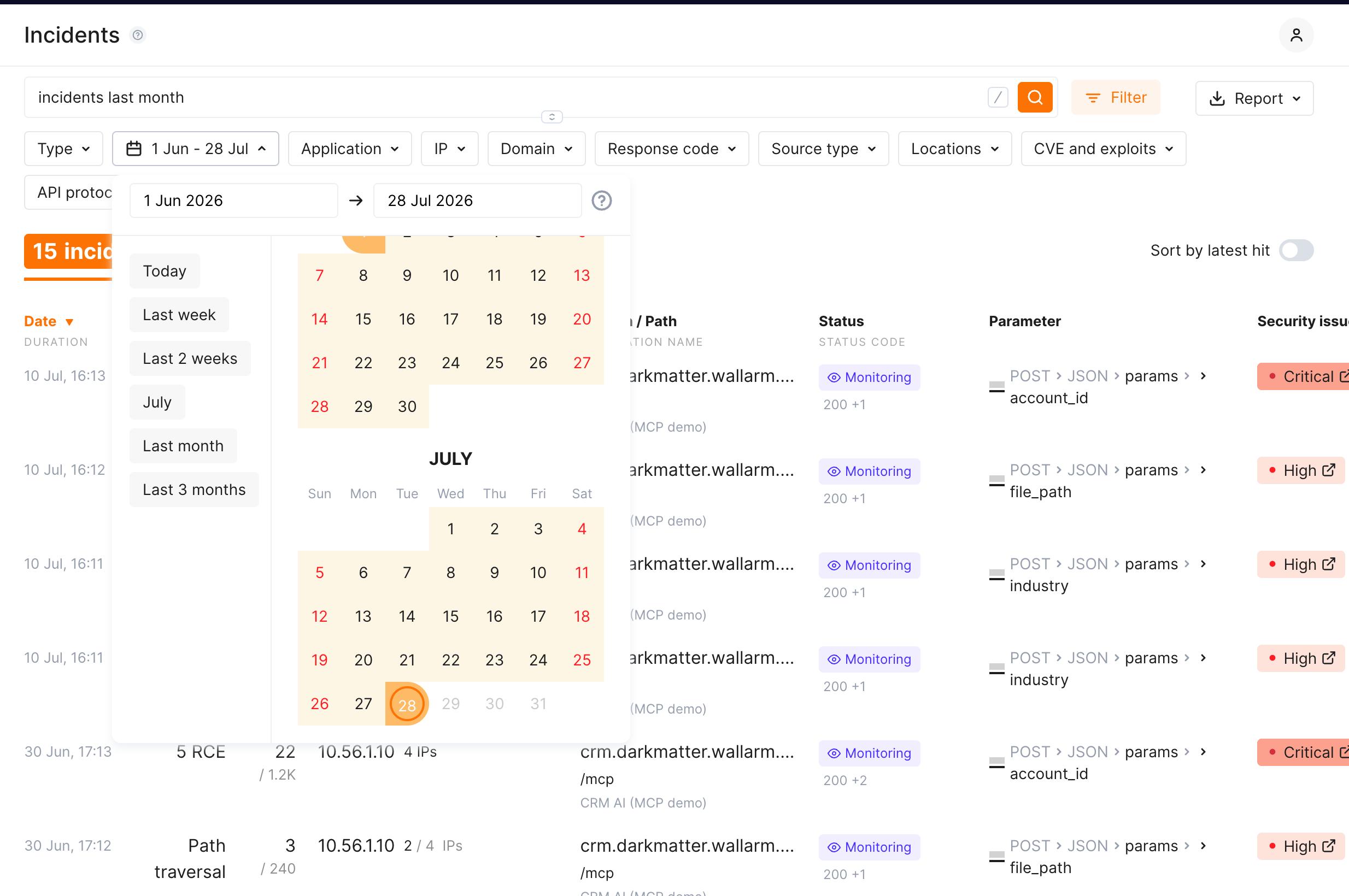
If you do not select a period, the list shows the incidents of the last 24 hours.
Quick filters
Besides the filter panel, values in the incident list offer quick filters that show only the incidents with the specific value or exclude them.
Search field
The search field accepts queries with attributes and modifiers similar to human language, which makes it a quicker option once you know the attribute names. The values you select in the filters appear in the search field, and the attributes you type appear in the filters.
For example:
-
incidents today: incidents that happened today -
xss /catalog/import.php: cross‑site scripting incidents on the/catalog/import.phppath -
sqli p:id ip:100+: SQL injection incidents in theidparameter, with more than 100 source IP addresses
When values of different attributes are specified, the results meet all those conditions. When different values for the same attribute are specified, the results meet any of those conditions.
Setting the attribute value to NOT
To negate the attribute value, use ! before the attribute or modifier name. For example: incidents !ip:1.1.1.1 shows all incidents originated from any IP address excluding 1.1.1.1.
Attribute reference
| Attribute | Purpose | Example |
|---|---|---|
| (no prefix) | Attack type, in uppercase or lowercase | sqli, xss, rce, ptrav |
owasp_api<N>_2023 |
Attacks associated with an OWASP API Top 10 2023 threat | owasp_api1_2023 |
known |
Attacks exploiting CVEs or other well‑known vulnerability types. !known returns potential false positives |
known:CVE-2018-6008 |
proto: |
API protocol | proto:graphql, proto:rest, proto:grpc |
auth: |
Authentication method | auth:jwt, auth:oauth2, auth:none |
| (no prefix) | Attack target | client, database, server |
| (no prefix) | Risk level | low, medium, high |
| (no prefix) | Time period. Dates follow the format set in your profile | yesterday, last 3 months, 11/10/2020-11/14/2020, >11/10/20 |
ip: |
Source IP address, a range, a CIDR prefix, or the number of source addresses | ip:1.1.1.1, ip:192.168.1.0/24, ip:192.168., ip:1000+ |
source: |
Data center or network the source IP belongs to | source:aws, source:tor, source:vpn, source:malicious |
country: |
Country the source IP is registered in, in the ISO 3166-1 format | country:CN |
statuscode: |
Response status code, a range, or an open range | statuscode:404, statuscode:400-499, statuscode:500+ |
s:, size: |
Response size, a range, or an open range | size:1000+ |
method: |
HTTP method. Uppercase common methods work without the prefix | method:PATCH, POST |
N: |
Number of hits in the incident | N:>100, N:<10 |
d:, domain: |
Domain. Supports the * and ? masks |
d:example.com, d:*.example.com |
u:, url: |
Path. A value starting with / works without the prefix |
url:"/api/users", /api/users |
application:, app: |
Application name set on the Applications tab of the Settings section | app:'Example application' |
p:, param:, parameter: |
Attacked parameter, the parser that read it, or a sequence of both. Supports the * and ? masks |
p:id, p:*BASE64, p:"POST_JSON_DOC_HASH_from" |
a:, anomaly: |
Anomalies in the event. Accepts size, statuscode, time, stamps, impression, vector |
a:size |
request_id: |
Request identifier. Without a value, matches events that have any identifier | request_id:a79199bcea606040cc79f913325401fb |
sampled |
Sampled hits | sampled |
node_uuid: |
Node that detected the event. Only events detected after May 31, 2023 are returned. Find the UUID in node details | node_uuid:<NODE_UUID> |
spec: |
Specification policy violations. Get the identifier from the browser address bar when editing the specification | spec:'<SPECIFICATION_ID>' |
custom_rule |
Attacks detected by regexp-based rules. The event details link to the rules that matched | custom_rule |
Attack type names are case-insensitive: SQLI, sqli, and SQLi are equally correct.